

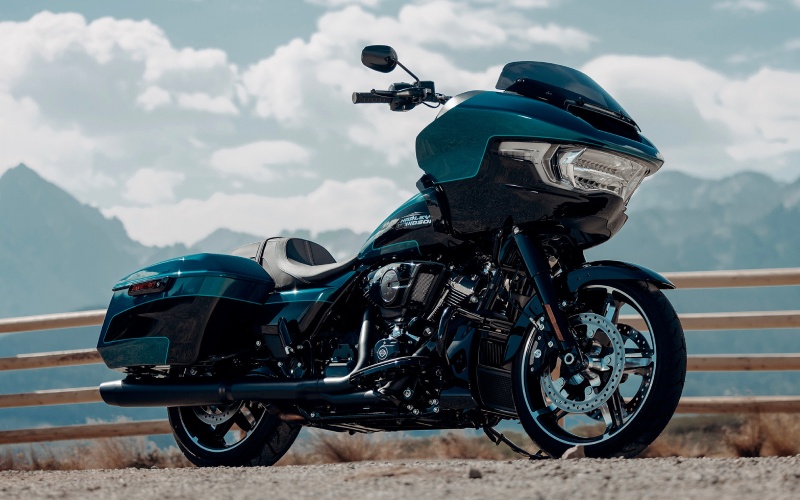
Lancaster Harley-Davidson® - How does Skyline™ OS on the 2026 Harley-Davidson® Road Glide® simplify navigation around York, PA?
Riders looking at the 2026 Harley-Davidson® Road Glide® often want to know how Skyline™ OS can make navigation simpler without adding distraction. The short answer is that the 12.3" TFT display centralizes maps, turn-by-turn guidance, and phone integration so you can keep your focus ahead and your information organized, even when York, PA traffic and detours add complexity.
Because the system is designed for motorcycling from the ground up, it avoids the pitfalls of bolt-on gadgets. The interface is clean, high-contrast, and sized to be read quickly at a glance. Paired with Apple CarPlay—wireless or wired—it taps into familiar apps and stored addresses while letting you retain control through the motorcycle’s interface rather than juggling your phone mid-ride.
What Skyline™ OS Does Differently
Skyline™ OS brings together your navigation, media, and key vehicle data on a single screen. That means you can move from routing to tire pressure alerts (TPMS) to trip data without bouncing between separate devices. Voice functions via compatible headsets help you keep hands on the controls. On the audio side, the two 5.25-inch fairing speakers and 50 watts per channel present turn cues clearly, so you don’t miss exits or jogs around downtown one-way grids.
Navigation feels streamlined because the display’s real estate is optimized for clarity. Route guidance is easy to follow, and map panning or zooming is intuitive. Whether you’re plotting a path to the Codorus Creek area or threading over to the Susquehanna on county roads, it all lives under one roof.
Local Use Case: York, PA and Beyond
York offers a bit of everything—urban streets with lights and merges, plus quick access to farm roads, rolling hills, and connectors out toward the river. Skyline™ OS handles that mix gracefully. If a construction detour pops up near Market Street, you can follow on-screen revisions without stopping to reprogram a separate GPS. If you decide to stretch the ride out past dusk, the crisp, high-brightness map and LED lighting complement each other to keep the path clear and your presence known.
Riders who split time between short hops and half-day loops will appreciate how routes, fuel stops, and points of interest can be managed without juggling devices. It’s an elegant solution to what used to demand multiple mounts and screens.
Apple CarPlay Integration and Hands-Free Control
Apple CarPlay syncs seamlessly, so you can leverage familiar nav apps and your contacts for destination entry. The advantage is that on-bike controls and voice interactions keep your attention where it belongs—on traffic and road surface. Music playback and call handling ride side-by-side with mapping on the display, which reduces cognitive load and keeps your cockpit uncluttered.
If you prefer to keep things simple, you can use the native Skyline™ OS navigation for turn-by-turn instructions without attaching your phone by cable. The system is versatile enough to accommodate your tech habits rather than forcing you into one workflow.
Setup Tips for First-Time Users
Getting started is straightforward. A few small steps ensure you’re ready before the first long ride so you can rely on the system when you need it most.
- Pair your device: Connect your phone via Bluetooth and, if desired, enable Apple CarPlay—wireless or with a USB-C cable.
- Organize your apps: Make sure your go-to navigation and music apps are updated and logged in for quick access.
- Pre-load key destinations: Save frequent addresses—home, work, favorite coffee stops—so you can route in seconds.
- Adjust display preferences: Set brightness and map style for day and night readability that matches your visor tint.
- Test audio and voice: Verify headset connection, audio levels, and voice prompts so cues come through clearly at speed.
Once dialed, the Skyline™ OS experience becomes second nature. You’ll spend more time riding and less time fiddling with settings at the curb.
Safety and Situational Awareness
Navigation is only part of the picture. Skyline™ OS also surfaces helpful alerts and bike data—like TPMS notifications—right when they matter. Combine that with Cornering Rider Safety Enhancements and Electronic Linked Braking, and you have a touring cockpit that informs without overwhelming. It’s a thoughtful balance: the system gives you what you need to make decisions while letting you stay immersed in the ride itself.
Around York’s varied roads—where a dry stretch can give way to shaded, slick surfaces—the ability to check information at a glance matters. You’ll feel the difference between a screen adapted for motorcycling and a generic consumer tablet strapped to the bars.
Maintenance, Updates, and Ongoing Use
Keeping your device software current and verifying connections occasionally will sustain a reliable experience. As routes take you off the beaten path, it’s wise to confirm your map data is fresh so that turn-by-turn accuracy keeps pace with changing infrastructure. That routine care pairs nicely with standard maintenance intervals to ensure your touring setup remains ready for anything.
For riders who travel near state borders or explore new towns, the convenience of consolidated navigation and bike info reduces stress. And on high-mile days, little efficiencies—like prompt rerouting or voice-controlled adjustments—add up to a more relaxed arrival.
Frequently Asked Questions:
Can I use Apple CarPlay without a cable?
Yes. The 2026 Harley-Davidson® Road Glide® supports Apple CarPlay wirelessly or with a USB-C cable. Choose the option that best fits your phone battery strategy and signal reliability.
Will Skyline™ OS work if I prefer not to use my phone?
Absolutely. Skyline™ OS provides turn-by-turn navigation and bike data natively. Phone pairing adds flexibility, but the core experience is designed to function cleanly on its own.
How readable is the screen in bright sunlight or at night?
The 12.3" TFT is high-contrast and adjustable. Set brightness and map themes to suit your visor, riding time, and ambient light so details remain crisp at a glance.
Does the system distract from riding?
It’s built to reduce distraction by centralizing essential info and enabling hands-free control through compatible headsets. The interface design prioritizes quick recognition so you can keep your eyes on the road.
If you’re weighing the benefits of this integrated approach, Lancaster Harley-Davidson® offers guidance on setup, accessories, and best practices—serving Harrisburg, York, and Lebanon with rider-focused support and expertise that helps you get the most from Skyline™ OS on day one.